Stop being the one who's late.
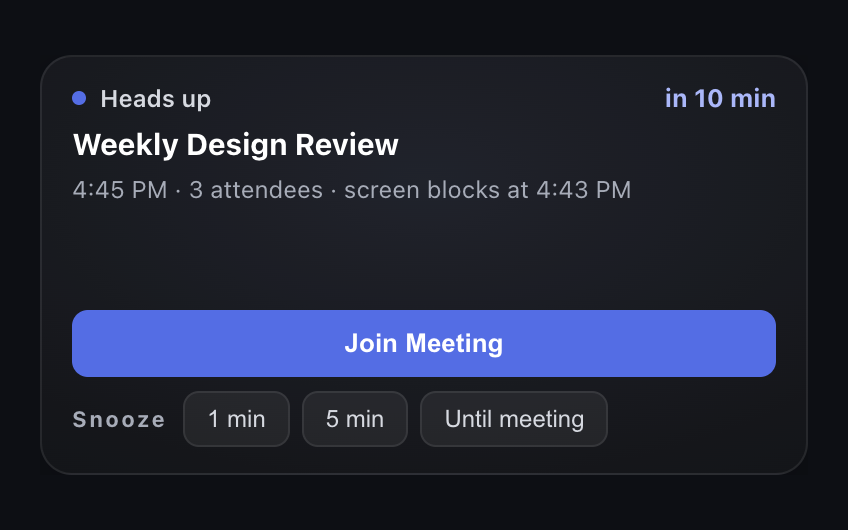
Just In Time is a Mac menubar app that watches your Google Calendar, gives you a heads-up before each meeting, then blocks your screen so you join on time.
Impossible to work through.Never louder than it needs to be.

Questions
What is Just In Time?
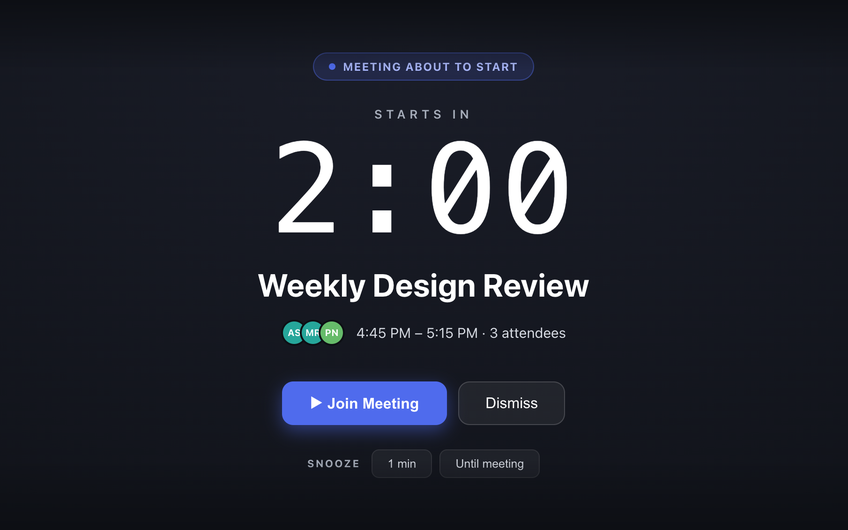
Just In Time is a macOS menubar app that reads your Google Calendar, gives you a heads-up 10 minutes before each meeting, and shows a full-screen block 2 minutes before it starts, so you can’t miss it.
Does it show up over full-screen apps?
Yes. The full-screen block sits above full-screen apps, the Dock and the menu bar, on every Space - so it still appears while you are in a full-screen editor, video or presentation.
When do the alerts appear?
By default, a heads-up 10 minutes before each meeting and the full-screen block 2 minutes before it starts. Both times are adjustable in Settings, and you can switch the full-screen block off entirely.
Can I join the call straight from the alert?
Yes. When the calendar event has a Zoom, Google Meet or Microsoft Teams link, the alert shows a Join Meeting button that opens it.
Can I snooze it?
Yes - for 1 minute, 5 minutes, or until the meeting starts. Snooze options that would wake you after the meeting has begun are hidden.
Is my calendar data sent anywhere?
No. Access to your Google Calendar is read-only, and Just In Time has no server: your events are read and kept only on your Mac. See the Privacy Policy for details.
Which calendars does it work with?
Google Calendar, one connected calendar per account. Outlook and iCloud calendars are not supported yet.
Which Macs does it run on?
Apple Silicon and Intel Macs running macOS 13 Ventura or later. It is a single universal download.
How do I install it?
Just In Time is a direct download for macOS. Open the downloaded file and drag the app to your Applications folder.
Never be late.
Know when to stop.
Download for Mac Just In Time
A calendar-aware menubar app that keeps you on time, for macOS.