A full-screen meeting reminder for Mac
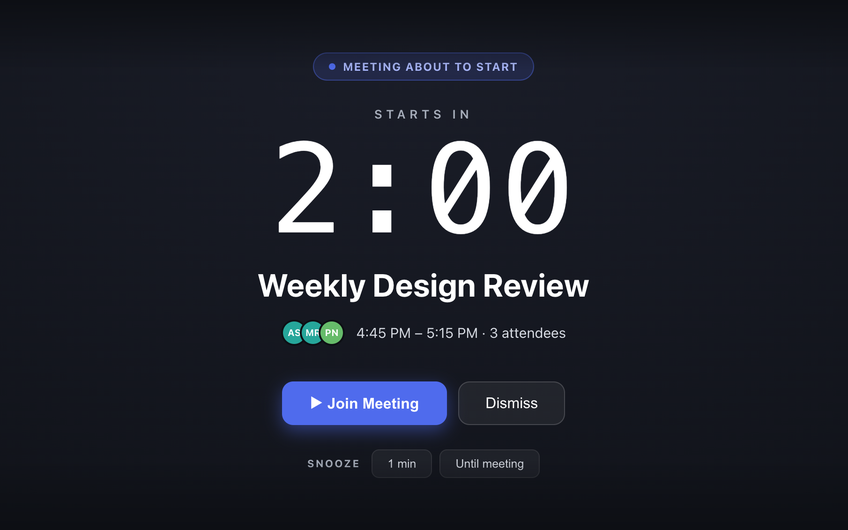
Just In Time is a macOS menubar app that reads your Google Calendar and covers your whole screen 2 minutes before each meeting, with a Join button for the call. Unlike a notification banner, it is impossible to overlook - and it still appears on top of full-screen apps.
Why calendar notifications are easy to miss
A macOS calendar notification is a banner in the corner of the screen. It fades after a few seconds, Focus modes hold it back, and when you are deep in work it is easy to swipe it away without registering what it said. Ten minutes later the meeting has started without you.
A full-screen reminder solves the part a banner cannot: it interrupts. You have to look at it, and you have to make a decision - join, snooze, or dismiss.
How Just In Time escalates
- Any time: your next meeting, and how long until it starts, is one click away in the menubar.
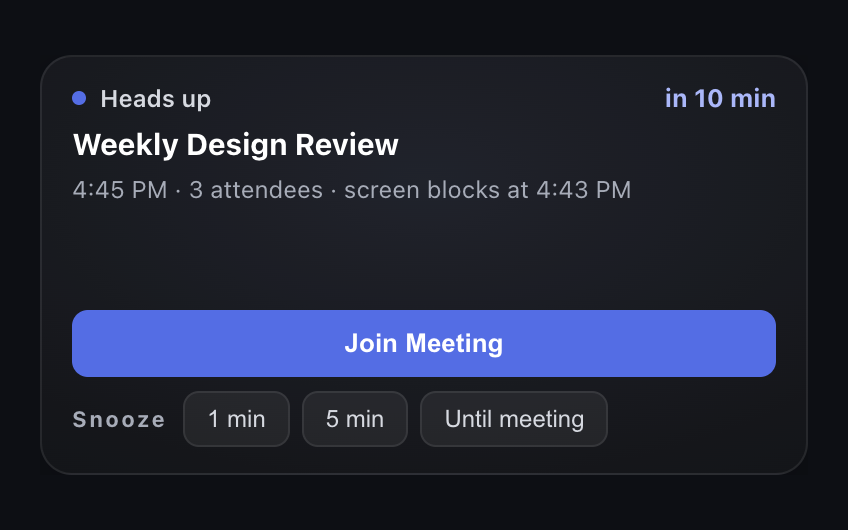
- 10 minutes before: a quiet heads-up with a sound. Dismiss it if you are already on track.
- 2 minutes before: the full-screen block, with a live countdown, the attendees, and a Join Meeting button.
Both lead times are adjustable in Settings, and the full-screen block can be switched off.
Join the call in one click
When the event has a Zoom, Google Meet or Microsoft Teams link, the block shows a Join Meeting button that opens it directly - no hunting through the calendar invite for the link.
Snooze without losing the meeting
Need another minute? Snooze for 1 minute, 5 minutes, or until the meeting starts. Snooze options that would wake you after the meeting has already begun are hidden, so a snooze can never make you late.
Private by design
Just In Time uses read-only access to your Google Calendar and has no server of its own. Your events are read and kept only on your Mac. It runs on Apple Silicon and Intel Macs with macOS 12 Monterey or later.
Common questions
Why do I miss meeting notifications on my Mac?
Standard calendar notifications are small banners that disappear after a few seconds, are silenced by Focus modes, and are easy to dismiss without reading while you are concentrating. A full-screen reminder takes over the display, so it cannot be missed or dismissed by accident.
Does a full-screen meeting reminder work over full-screen apps?
Just In Time does. Its block sits above full-screen apps, the Dock and the menu bar on every Space, so it appears even while you are in a full-screen editor, video or slide deck.
Can I still get a gentler reminder first?
Yes. Just In Time escalates: a small heads-up 10 minutes before the meeting, then the full-screen block 2 minutes before. Both times are adjustable.