Google Calendar meeting reminders on Mac
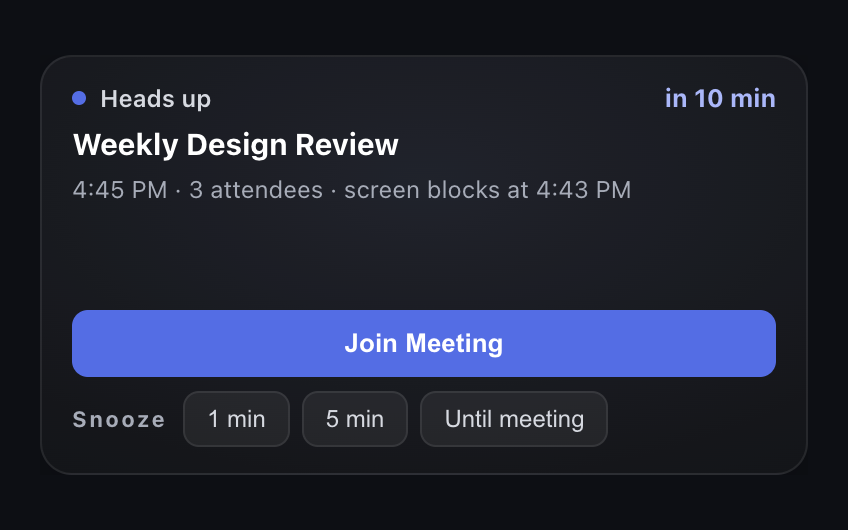
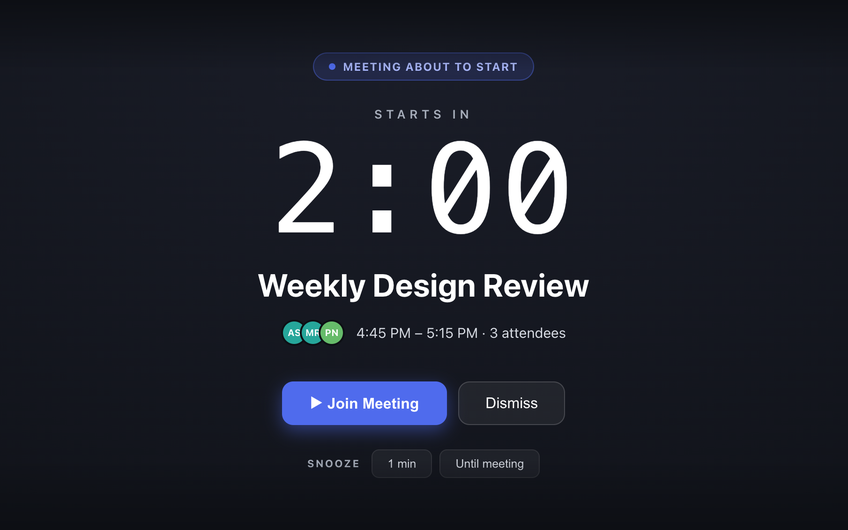
Just In Time is a Mac menubar app that connects to your Google Calendar with read-only access, gives you a heads-up 10 minutes before each meeting, and covers your screen 2 minutes before it starts, with a button to join the Zoom, Meet or Teams call.
Where Google Calendar's own reminders fall short on a Mac
On a Mac, Google Calendar reminds you in one of two ways. From the web, a browser notification appears - but only while the browser is running, and only if notifications are allowed for the site. Through the macOS Calendar app, with your Google account added to it, a banner appears in the corner of the screen.
Either way it is a banner: it fades after a few seconds, a Focus mode can hold it back, and it is easy to dismiss without reading when you are busy.
How Just In Time works with Google Calendar
- Connect once: sign in with Google and grant read-only access to your calendar.
- Pick your calendars: Free watches one calendar from your account; Pro watches up to 10 together, such as work, team and family.
- It follows your replies: meetings you declined never alert, and events with no other attendees get a heads-up but never the full-screen block.
- It finds the call link: when the event has a Zoom, Google Meet or Microsoft Teams link, the alert has a Join Meeting button.
Private by design
Your events are read and kept only on your Mac. Just In Time never changes your calendar, and you can disconnect it from your Google account at any time.
Common questions
How do I get Google Calendar meeting reminders on my Mac?
Google Calendar can notify you from a browser tab, or through the macOS Calendar app if you add your Google account to it. Both show small banners. For a reminder you cannot miss, Just In Time connects to Google Calendar directly and covers your Mac screen 2 minutes before each meeting.
Do I need Google Calendar open in a browser tab?
No. Just In Time reads your calendar itself and runs from the menubar, so no browser tab or calendar app needs to stay open.
Does it work with Google Workspace accounts?
Yes, with personal Google accounts and with Google Workspace accounts whose administrator allows third-party apps to read Google Calendar.
Can it change my calendar?
No. Its access to Google Calendar is read-only. It never creates, edits or deletes events and never replies to invites.