A meeting reminder for developers
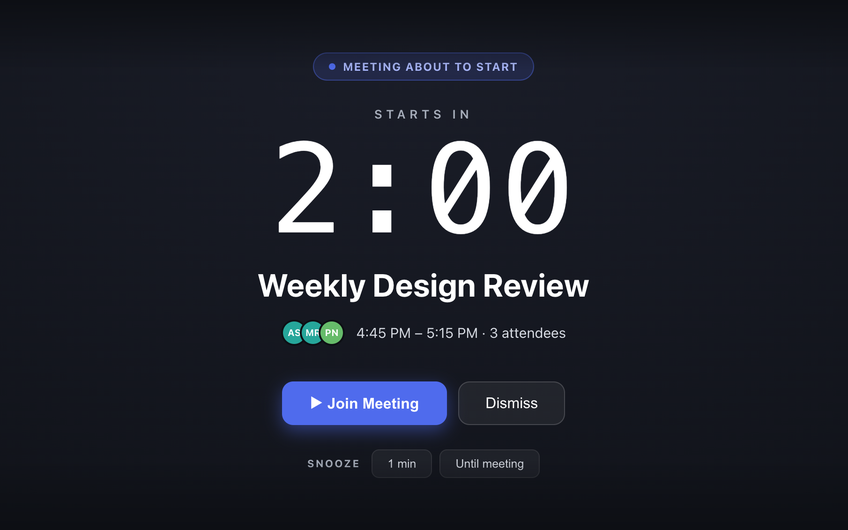
Deep in a debugging session, a calendar banner in the corner of the screen is invisible. Just In Time is a Mac menubar app that reads your Google Calendar and, 2 minutes before each meeting, covers your screen - even over a full-screen IDE - with a countdown and a Join Meeting button.
Flow state doesn't read banners
Focus is the job. It is also why standup starts without you: a banner appears, your eyes stay on the stack trace, and the banner is gone before you notice it. Ten minutes later someone pings you in chat.
Just In Time does not ask for your attention, it takes it - but only at the last useful moment. A heads-up 10 minutes before, then the full-screen block 2 minutes before, with the call one click away.
A countdown that doesn't steal focus
Your next meeting and the time until it starts are always in the menubar. With Pro, you can swap the full-screen block for a countdown pill that floats above your editor and never takes keyboard focus: finish the line, then join from the pill.
On the full-screen block, hold Esc to dismiss it. Nothing is ever dismissed by a stray keystroke.
Interrupt only for what matters
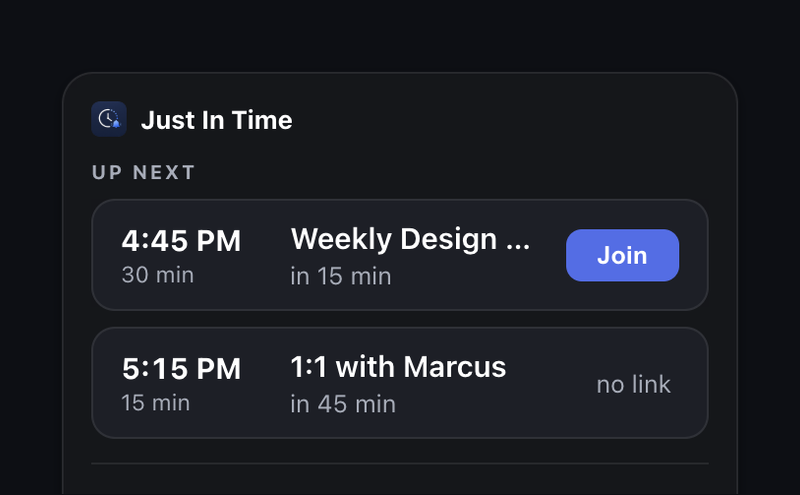
- Your own calendar blocks: events with no other attendees never get the full block.
- Declined meetings: no alerts at all.
- With Pro: skip Google Calendar Focus time events, give demos you only watch a heads-up only, and turn on quiet hours so nothing fires between 18:00 and 09:00.
Private by design
Read-only access to your Google Calendar, and your events stay on your Mac. It never changes your calendar or replies to invites. One universal build for Apple Silicon and Intel Macs.
Common questions
Why do developers miss meetings even with calendar notifications?
Deep focus filters out anything in the corner of the screen. A notification banner fades after a few seconds, and in the middle of a debugging session it is dismissed on autopilot or never seen. A reminder that takes over the screen breaks through where a banner cannot.
Does the reminder appear over a full-screen IDE or terminal?
Yes. The full-screen block sits above full-screen apps, the Dock and the menu bar, on every Space.
Is there something less disruptive than a full-screen block?
Yes. With Pro, a countdown pill can replace the full-screen block. It floats above your work and never takes keyboard focus, so you can finish the line you are typing and join from the pill.
Will it interrupt my focus time?
Events with no other attendees never get the full-screen block, on either plan. With Pro, a rule can skip Google Calendar Focus time events entirely, and a quiet-hours rule silences everything outside working hours.