A meeting reminder for product managers
A product manager's day is standups, customer calls, design reviews and stakeholder syncs, often with no gap between them. Just In Time is a Mac menubar app that reads your Google Calendar and covers your screen 2 minutes before each meeting, so the switch from a spec to a call never slips.
A day of context switches
Product work happens in the gaps: a spec between a standup and a design review, a roadmap between two customer calls. The gap is where you lose track of time, and a banner in the corner of the screen is easy to dismiss without reading.
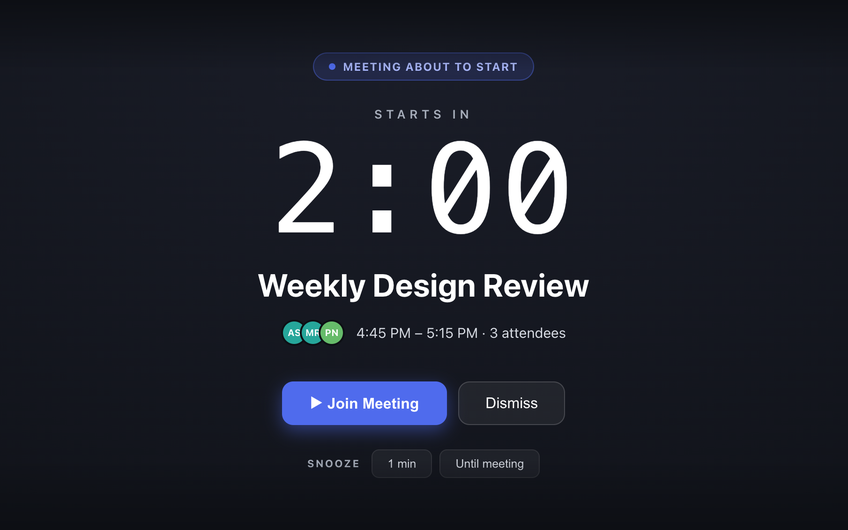
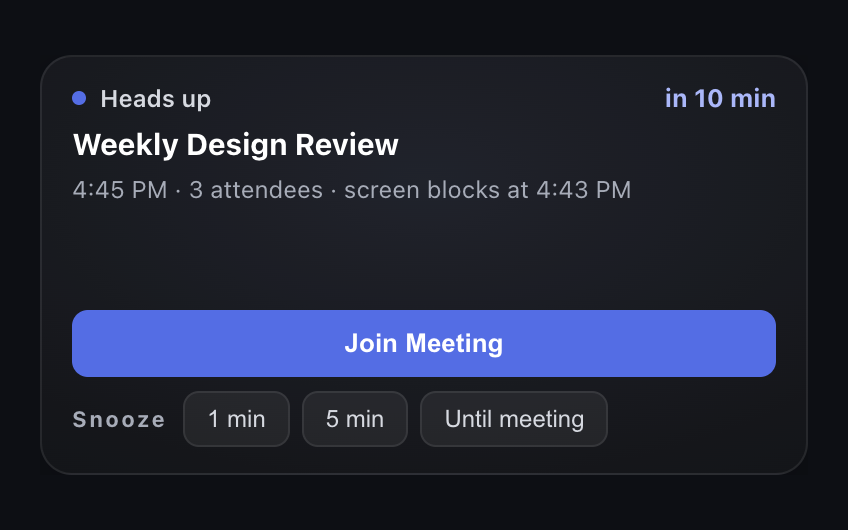
Just In Time escalates instead. A heads-up 10 minutes before gives you time to finish the thought. Two minutes before, a full-screen block with a live countdown and a Join Meeting button makes the switch for you.
Customers get the full block, reviews get a nudge
Being late to a customer call costs more than being late to a design review you are only attending. With Pro, rules make that difference:
- Customer and partner calls: any meeting with people outside your company gets the full block.
- Meetings you run: the block 5 minutes early, to open the deck and share your screen before anyone joins.
- Reviews you only attend: a heads-up and nothing louder.
- One-off exceptions: “Don't block” for a single meeting or a whole recurring series.
End on time, too
With Pro, a wrap-up pill appears 5 minutes before a meeting ends and names the next one, so a planning session that runs long does not make you late for the customer call after it.
Private by design
Just In Time uses read-only access to your Google Calendar and keeps your events on your Mac. It never changes your calendar or replies to invites.
Common questions
How do product managers stop being late to meetings?
By making the last two minutes before a meeting impossible to miss, and by ending the previous meeting on time. Just In Time covers your Mac screen 2 minutes before each Google Calendar meeting, and with Pro it shows a wrap-up reminder 5 minutes before a meeting ends.
Can I get the full block only for customer calls?
Yes, with Pro. A one-click rule gives meetings with anyone outside your company the full-screen block and meetings with only colleagues a heads-up. You can also match a specific person or a whole email domain.
Does it watch more than one calendar?
Free watches one Google calendar. Pro watches up to 10 together, such as your own, a team calendar and a launch calendar.
Does it interrupt my focus time?
Events with no other attendees never get the full-screen block, on either plan. With Pro, a rule can skip Google Calendar Focus time events entirely.